Themes
Customize colors and fonts for the entire presentation.
Custom Theme
typescript
const pptx = new Presentation({
  theme: {
    name: 'My Theme',
    colors: {
      dk1: '000000', lt1: 'FFFFFF',
      dk2: '44546A', lt2: 'E7E6E6',
      accent1: '4472C4', accent2: 'ED7D31',
      accent3: 'A5A5A5', accent4: 'FFC000',
      accent5: '5B9BD5', accent6: '70AD47',
      hlink: '0563C1', folHlink: '954F72',
    },
    fonts: {
      majorFont: 'Calibri Light',
      minorFont: 'Calibri',
    },
  },
});
Composing from Defaults
Override just the parts you need by spreading the default schemes:
typescript
import { defaultColorScheme, defaultFontScheme } from 'pptx-craft';

const pptx = new Presentation({
  theme: {
    name: 'Custom Accents',
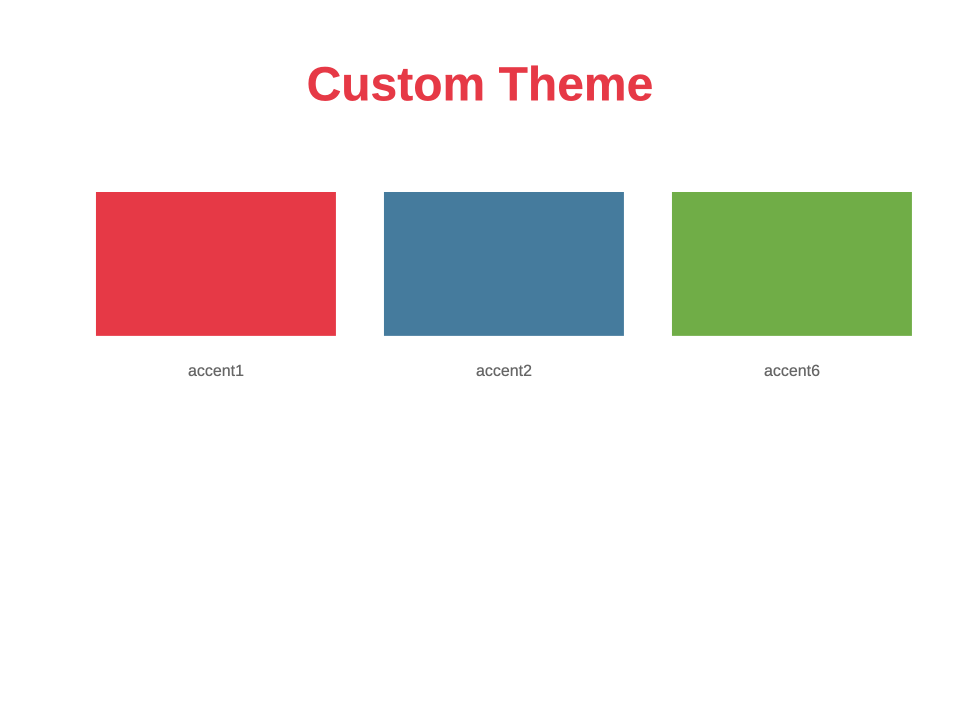
    colors: {
      ...defaultColorScheme,
      accent1: 'E63946',
      accent2: '457B9D',
    },
    fonts: {
      ...defaultFontScheme,
      majorFont: 'Georgia',
    },
  },
});
Default Theme
If no theme is provided, pptx-craft uses the standard Office theme with Calibri fonts and the default Office color palette.
You can import the defaults:
typescript
import { defaultTheme, defaultColorScheme, defaultFontScheme } from 'pptx-craft';| Export | Description |
|---|---|
defaultTheme | Complete default theme object |
defaultColorScheme | Office color palette (12 colors) |
defaultFontScheme | Calibri Light (headings) + Calibri (body) |